

 Working file (.aep)
 Video exports (.mp4, .mov)
Principles
This page documents the design and motion approach behind the Intuit Business Credit Card feature vignettes. The core ideas that shaped every vignette, the signature techniques that give the system its feel, and the individual vignettes as examples of those ideas in motion.
Every vignette tells a story of card feature, walking through the right beats so the viewer can trace the journey from action to outcome.
Two principles keep the vignettes clean:
One hero idea per vignette.
Every video exemplifies one clear moment. The craft is in choosing the frames that best carry the benefit, and cutting everything else.
Concept, not literal UI
We animate the story beats of a feature as brand moments rather than pixel-accurate app screens. As the product keeps evolving, the features stay evergreen.
Easing
We use a confident easing that decelerates into a settle rather than snapping or bouncing. The intent: elements arrive smoothly and with intention.
Glow Effect
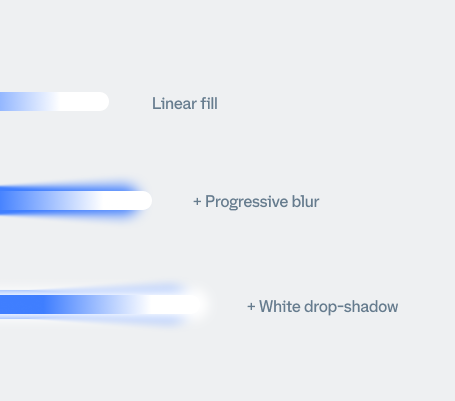
When a value fills, a soft glow travels with the leading edge of the fill and fades out as it completes. It’s the visual cue for “something good is accumulating.”
Frosted Glass
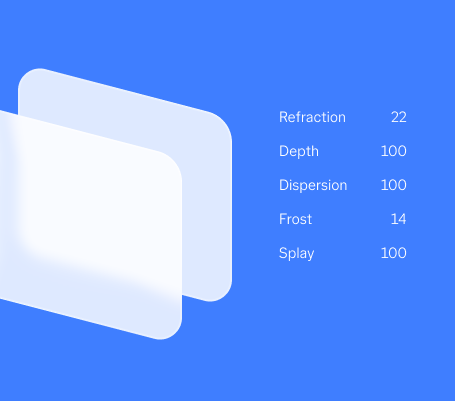
A floating panel that lets the layer beneath read through while staying legible. It’s how a card can appear over photography, video, or a brand color and still feel like one family.
3D Rotation
Used as a recurring motif across the suite to show a transition between states. It communicates a direct cause and effect, and because it recurs across multiple vignettes, it becomes a signature transition that ties separate vignettes into one family.
Feature Vignettes
Large "2%" and "5%" figures animate onto the screen in a loop, representing the card's cash back tiers.
Story Feature
The eight vignettes run together as one continuous sequence with animated transitions connecting each beat. On-screen text introduces each feature as it appears, set against shifting blue gradient backgrounds.